Two-color focus
Pink and cyan form the core visual language, making each active side easy to identify while the playfield stays intentionally uncluttered.
AL HAFIZ REAL ESTATE & BUILDERS is a fast, focused color-swap challenge inspired by the game’s own cyan-and-pink visual identity. Tap at the right moment, keep each glowing point on the correct lane, and protect your combo as the stream continues.
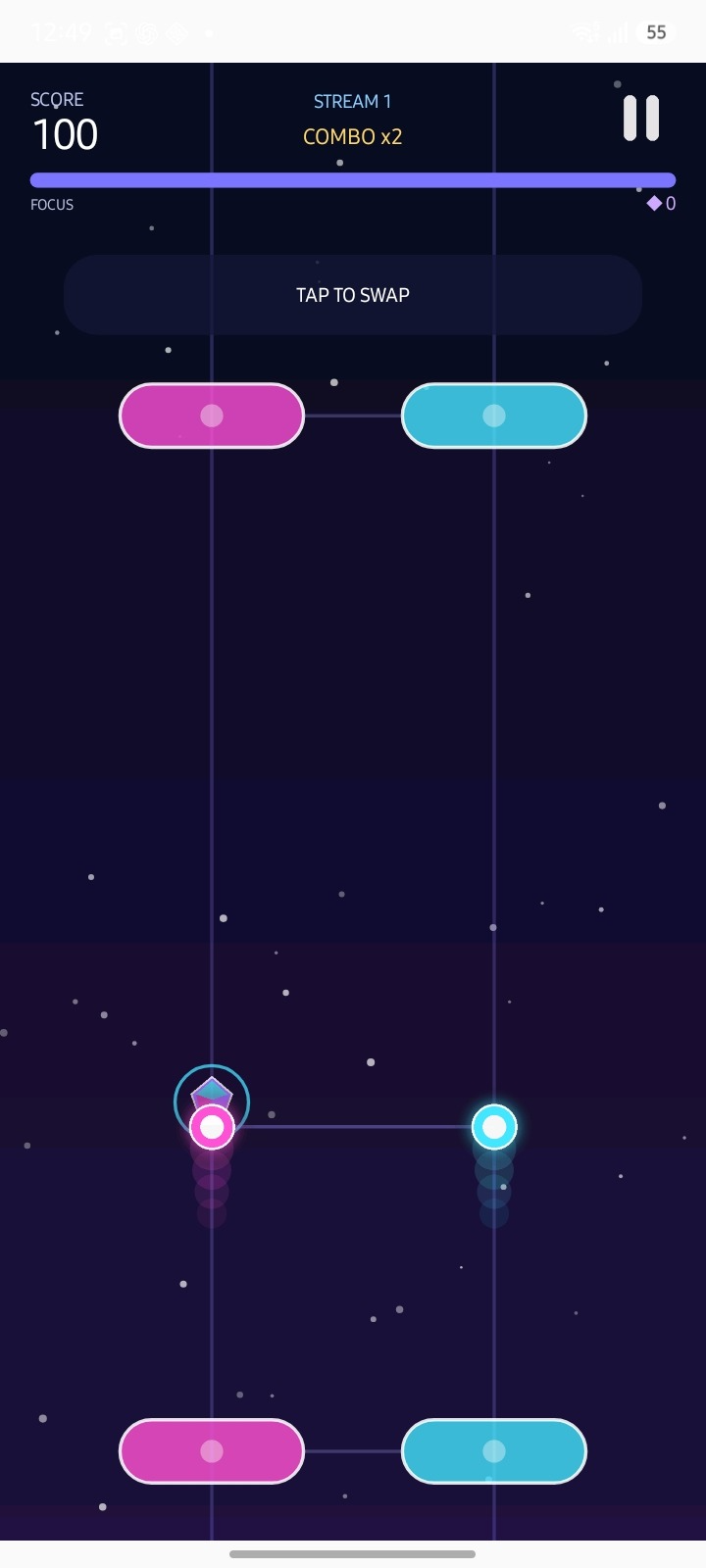
The screenshot shows a focused dual-lane playfield with score, focus, combo feedback and a simple “Tap to Swap” action. The website follows that same minimal, futuristic gaming language.
Pink and cyan form the core visual language, making each active side easy to identify while the playfield stays intentionally uncluttered.
The visible combo system encourages accurate consecutive actions and creates a clear score-chasing rhythm without overloading the screen.
The gameplay screen centers attention on two glowing points and matching pink/cyan lane targets. The core interaction shown on-screen is simple: tap to swap their positions and keep your run under control while score, focus and combo values respond.
The website only describes interactions visible in the supplied gameplay screenshot.
Keep track of the cyan and pink sides while the active points move through the playfield.
Use the on-screen swap action at the right moment to change the active positions.
Stay accurate and keep the visible combo sequence going as your score increases.
A compact presentation keeps the experience centered on timing and concentration rather than unnecessary menus or visual noise.
The supplied screen communicates the main action directly with the clear “Tap to Swap” instruction.
Two strong colors and two vertical lanes make the core play space easy to scan.
Score, combo and focus are always visible, keeping attention on improving each run.
Use the official support email below for app, service, privacy, correction or deletion questions described in the supplied Privacy Policy.
No phone number, social profile, physical address or third-party contact channel has been invented for this website.